For iPhone and Android
Stop saving workouts. Start lifting them.
Paste a link from YouTube, Instagram, TikTok or Facebook. SoloRep turns it into a workout you log set by set.
In beta now. To join, email customersupport@sparxfriendships.com.

Already log your sets?
SoloRep shows last time's weight and reps on screen, starts your rest when you log, and works with no signal.
How it works
From link to first set.
-
Step 1
Paste the link
Copy the share link from the video's app, then paste it into SoloRep.
Video linkPaste a video link
instagram.com/reel/…YouTube · Instagram · TikTok · Facebook
-
Step 2
Check the lifts
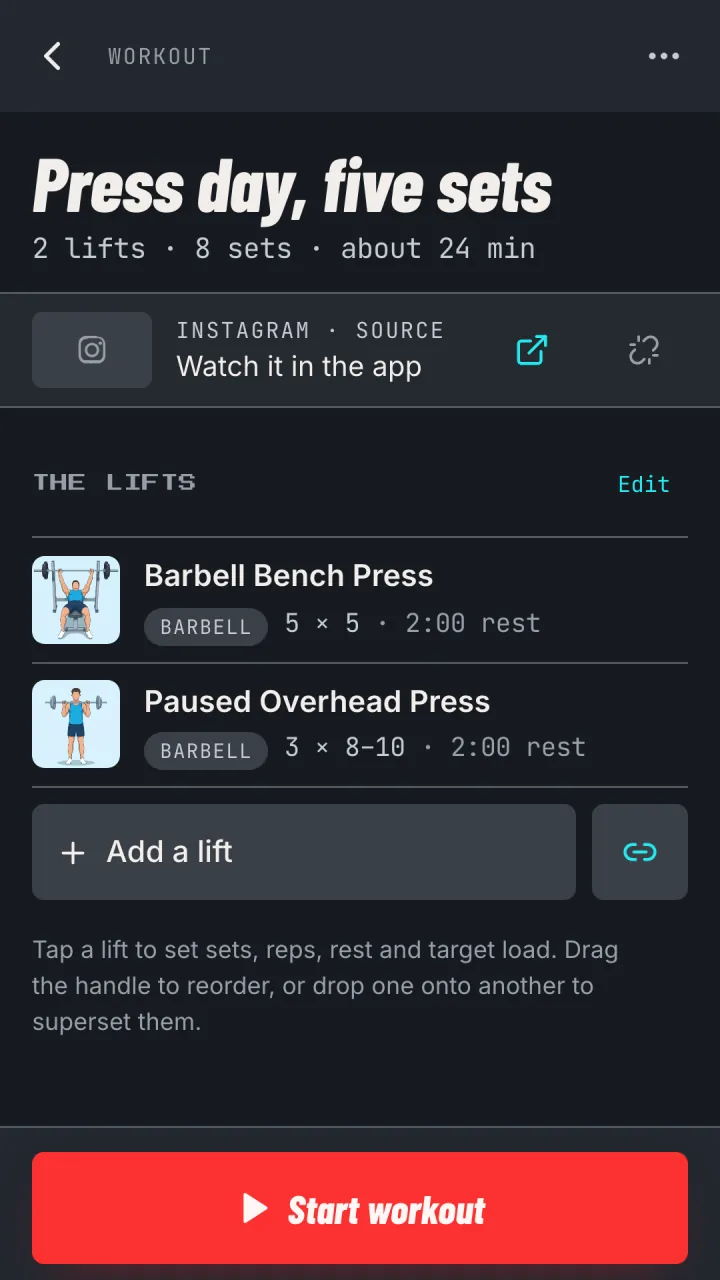
SoloRep lists the lifts with sets, reps and rest. Tap a lift to change its numbers, or add one the video skipped. Save it when it looks right.
-
Step 3
Train set by set
Log each set with one tap and the rest timer starts on its own. Add 30 seconds, or start the next set early.
Beat last time and SoloRep marks the record.

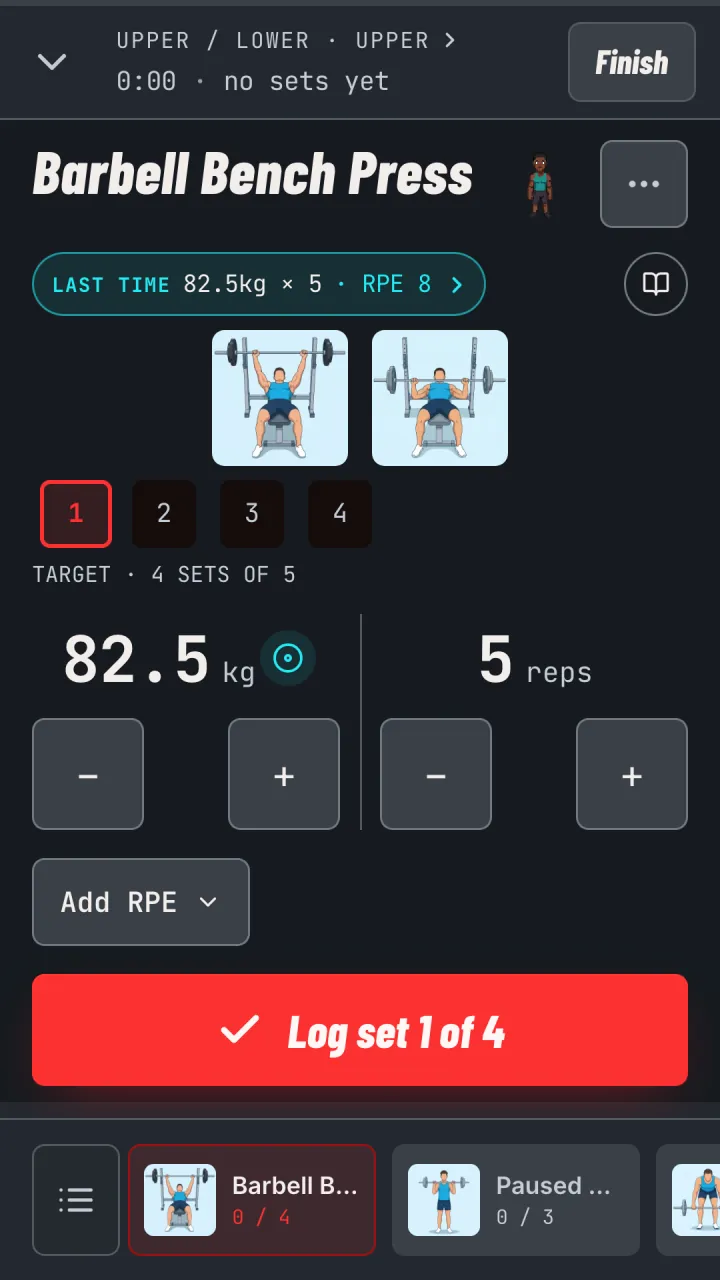
- Your last time82.5 kg for 5 at RPE 8 sits right under the lift name.
- Big, plain numbersWeight and reps big enough to read mid-set.
- One tap per setThe Log button sits right under your thumb.
-
Step 4
Send a workout. One tap to add.
Share any workout or program as a link. Your friend opens it and adds it to their own SoloRep.
Try this press day
solorep.app/s#1.eJyr… They open itShared
Press day, five sets
Add to SoloRep

Pick one you saved. Lift it this week.
Join the beta and turn one saved video into this week's workout.
In beta now. To join, email customersupport@sparxfriendships.com.